loading.gif
Notes
Login Sign Up Shopping Cart 简体中文
Add to my favorite categories
category CPU Switch
Path Yahoo Bid > Computer & Accessories > Peripherals > Networking > Switches & Splitters > CPU Switch
Remarks
Add my favorite keywords
Keywords
category CPU Switch
Remarks
Join my favorite seller
Seller 6yRKC***
Remarks
Add to my blacklist seller
Seller 6yRKC***
Remarks
Yahoo Bid Computer & Accessories Peripherals Networking Switches & Splitters CPU Switch
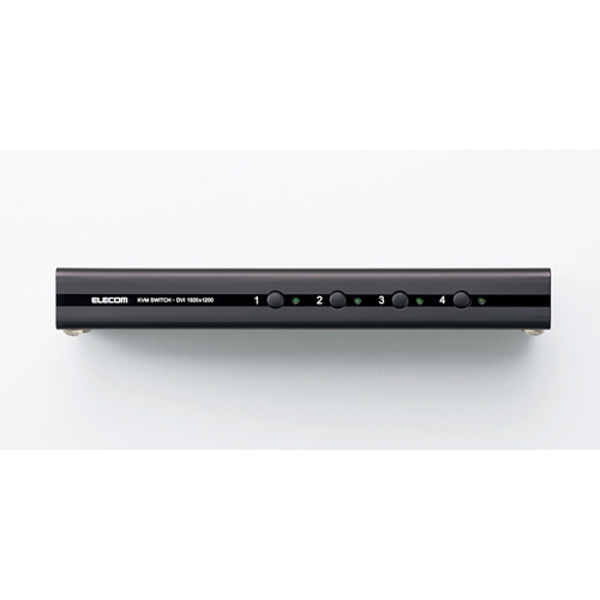
 Store パソコン切替器 DVI対応 4台のパソコンで1セットのUSBマウス・USBキーボードと、DVI対応ディスプレイ、スピーカを共有: KVM-DVHDU4


  • Product Quantity
    : 1
  • Starting Bid
    :21,819円
  • Highest Bidder
    : / Rating:
  • Listing Date
    :2025年12月25日 06時31分
  • Bidding closes on
    :2026年01月01日 06時31分
  • Auction Number
    :v1164051462
  • Condition
    :New product
  • Automatic Extension
    :No
  • Authentication
    :Yes(Description)
  • Early Closing
    :No
  • Can I return the product?
    :no
  • Description
  • Q&A ()
  • Cost Estimator
  • Problem Item Response Procedur
製品項目
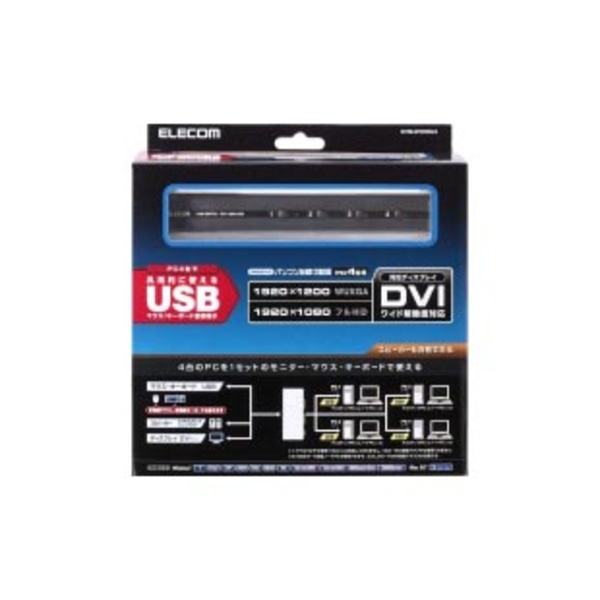
製品4台のパソコンで、1セットのUSBマウス・USBキーボードと、
DVI対応ディスプレイ、スピーカを共有できるパソコン切替器
品番KVM-DVHDU4
本体色ブラック
メーカー名ELECOM
メーカーサイトhttps://www.elecom.co.jp/products/KVM-DVHDU4.html
製品概要
●4台のパソコンで、1セットのUSBマウス・USBキーボードと、
DVI対応ディスプレイ、スピーカを共有できるパソコン切替器
●1920×1200(WUXGA)、1920×1080(フルHD)、ワイド解像度に対応
●HDCP機器の接続に対応しています。
※HDCPコンテンツ視聴中のパソコン切替には対応していません
●パソコンを切り替えても接続機器をすぐに使用できるエミュレーション機能を搭載
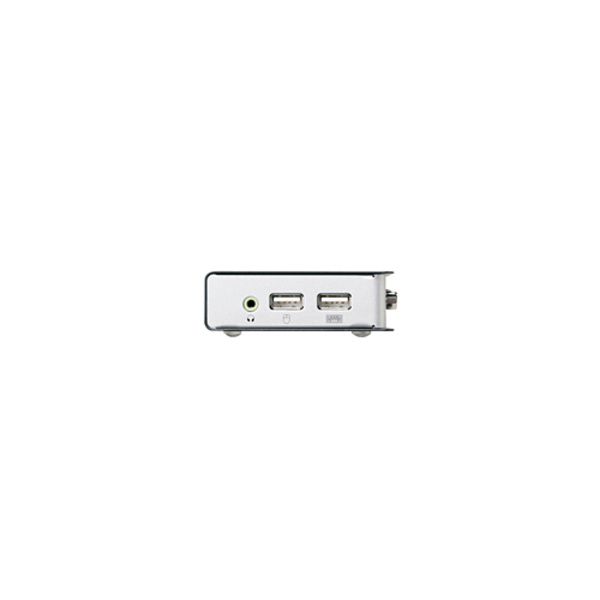
●2台のUSB機器を共有可能で、エミュレーション機能がOffの場合は、
マウス・キーボード以外にUSBプリンタやUSBハブなどを共有することも可能
●USBハブを接続することで3個以上のUSB機器を共有することも可能です。
※切替器に接続するUSB機器の消費電力は1ポートあたり500mA(2.5W)以下にしてください
●チルトホイール機能や多ボタン搭載の多機能マウス、ワイヤレスキーボードでも使用可能
●パソコンを切り替えても、[Caps Lock]、[Num Lock]、[Scroll Lock]の状態が保持されます
●φ3.5mmステレオミニプラグを装備していますので、スピーカも共有可能
●Macintoshに対応しており、マックキーボードでも
ソフトウェアのインストールをすることなくホットキーが使用可能
●MacintoshパソコンとWindowsパソコンとの切り替えも可能
●一定間隔で自動的に切り替わるオートスキャン・モードを搭載
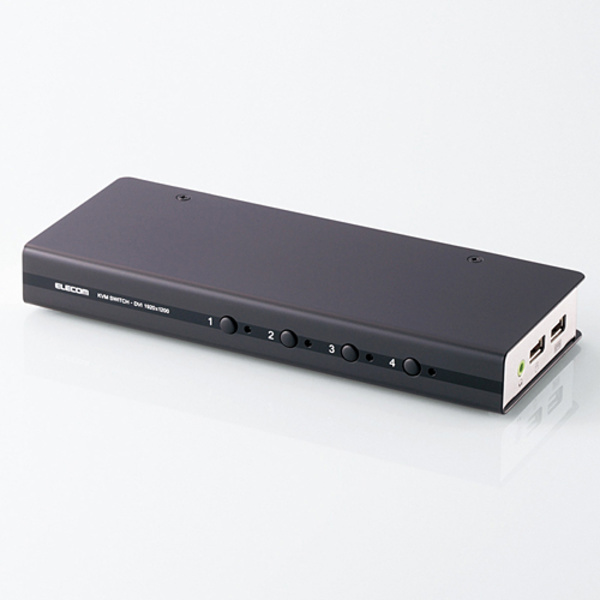
●切替は、本体の切替スイッチによる操作、マウスのスクロールボタンによる操作、
キーボードによるホットキー操作(ホットキー:[Scroll Lock]×2回+[Enter])で
簡単に行えます。
※マウススクロールによる操作はホットキーでの設定が必要です。
●スピーカだけを単独で切り替えることも可能
●裏起動に対応していますので、パソコン起動時に切替器の操作を行わなくても、
正しい解像度でディスプレイが表示されます
●切替先がひと目で分かるLEDランプが付いています
●ドライバのインストールが不要なので、接続してすぐに使用可能
●配線、設置が楽なケーブル着脱タイプ
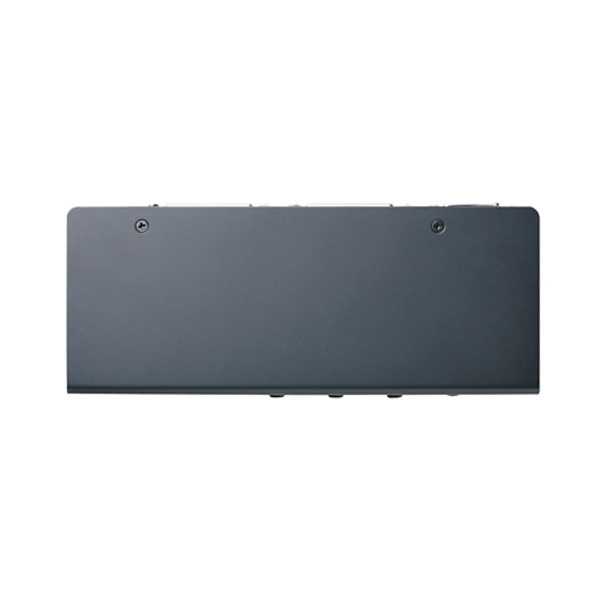
●高級感がある金属製ボディを採用しながらコンパクトで省スペースを実現
製品仕様
対応機種
(Windows)
ディスプレイ端子(DVI-D24pin/DVI-I29pin)を標準で装置した
Windows11/10/8.1/8/7/Vista(~SP1)/XP(~SP3)/2000(~SP4/Me/98SE/98/
Server2016/Server2012R2/Server2008R2/Server2003/
2000AdvancedServer/2000Serverが動作するPC/AT互換機
対応機種
(Mac)
Mac OS X(10.3以降)/macOS(10.12以降)が動作するIntelMac機、
Mac OS X(10.0~10.5)が動作するPowerPC機
※ディスプレイ端子(DVI-D24pin/DVI-I29pin)への変換アダプタが必要です
対応機種
(USB機器)
USB機器/USB2.0またはUSB1.1対応のUSB機器
対応機種
(マウス)
USBマウス※1
※1マウス:以下4機種については動作することを確認しております。
ご使用の際は以下型番のマウスをご使用ください。
M-M1UBBK/RS、M-M1UBWH/RS、M-M2UBBK/RS、M-M2UBWH/RS
対応機種
(キーボード)
DOS/VUSBキーボード(Macへの接続時にMacの特殊キーも使用可)、
MacUSBキーボード([Ctrl]×2+[Return]で切替可)(ソフトのインストール不要)※2
※2:Macをご使用のお客様は、[ScrollLock]キーのあるキーボードを別途ご用意ください。
対応機種
(ディスプレイ)
DVIコネクタ搭載ディスプレイ
対応機種
(スピーカー)
3.5φステレオミニプラグ搭載スピーカー
最大解像度1920×1200(WUXGA)、1920×1080(フルHD)
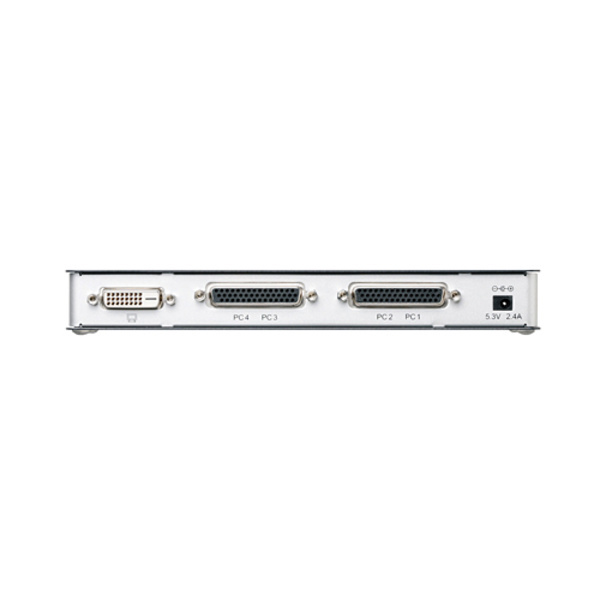
電源ACアダプタ(5.3V、2.4A)
定格電圧5V
最大消費電力最大5.3W
最大PC接続台数4台
切替方式切替スイッチ、ホットキー([ScrollLock]×2回+[Enter]キー)、
マウスのスクロールボタン
※マウススクロールによる操作はホットキーでの設定が必要です。
インターフェイス
(PC側)
DVI-D24ピン(オス)×4、USBタイプA(オス)×8、3.5φステレオミニ(オス)×4
インターフェイス
(周辺機器側)
DVI-D24ピン(メス)×1、USBタイプA(メス)×2、3.5φステレオミニ(メス)×1
供給可能電流ポート合計1A以内(1ポート当たり500mA以内)
サイズ幅:200×奥行:80×高さ:25mm(ケーブル、突起部を含まず)
質量約500g(ケーブルを含まず)
付属品パソコン用カスタムケーブル(1.2m ※コネクター含む)1本、
マニュアル
保証期間1年間
適格請求書(インボイス)の発行をすることができません
Please log in before asking questions
Question list
All replies from original sellers (total number of questions: items)
After the seller responds, the original page will display the question
Product Price JPY
Japanese Consumption Tax(10%) JPY

A 10% consumption tax is applied to goods and services in Japan. The price may include the tax or it may be added separately. Please check the price details when ordering.

Note: This is a domestic sales tax applied within Japan.

Japan Local Shipping Fee JPY Japan Local Shipping Fee Reference
Product Weight KG The maximum weight limit is 30 kg
International Shipping Methods
Singapore Package Import: Customs and Tax Policies
Proxy bidding and purchasing services are becoming increasingly convenient. However, overseas shopping carries certain risks and issues. To reduce these risks and enhance shopping safety, please be sure to read the following information:

1. International Shipping

   Air Freight: If the item status is not confirmed within two days after the arrival notice, any customer complaints cannot be addressed with the seller.

2. After Receiving the Product

Please confirm and inspect the product as soon as possible to ensure that the product specifications, quantity, accessories, and description are correct

If, unfortunately, there are any issues, you can refer to the following examples on how to report related product problems:
1. Example of missing product information
2. Example of product not matching provided information
3. Example of damaged product information

Important Notes: 1. If the seller is unwilling to ship overseas or is unaware that the product will be shipped overseas, the international shipping cost for returns or exchanges will need to be borne by the member. You may refer to the EMS e-Express fee inquiry from the post office. If it involves alcoholic beverages or items that affect flight safety, the post office cannot be used for shipment, and only DHL can be used to ship back to Japan.
2. During the product complaint handling period, please retain the complete outer packaging of the product (including the shipping label information), and refrain from attempting any repairs or altering the original condition. Any modifications may result in the inability to process the case.

3. After Inspecting the Product

After receiving and inspecting the item, if you have any questions, it is recommended to contact Letao within 2 hours. Here are some reminders:

1. Please do not unpack, use or repair the received item yourself, and be sure to keep the original packaging to facilitate subsequent handling of related matters, so as to avoid changes to the item that may cause the seller to be unwilling to process.

2. You can call customer service, and the customer service will leave a message for you as below. Please provide the following information:
"Hello, we will first help you establish a complaint case for Product ID: _______ .But we need you to 2-3 clear photos of the product issue, including photos of the product problem, product packaging, shipping details slip, and outer box. Send them to service@letao-holdings.com and inform us of your desired resolution (failing to provide this may result in an inability to process subsequent matters). After sending the email, notify us in the customer service message. We will confirm with the seller as soon as possible. and if there are any related questions, we will contact you through the customer service message. Thank you for your cooperation."

Please provide:
1. "Product ID"
2. Photo of the "Delivery Note" (if any)
3. Photos of the outer box (including inner and outer packaging)
4. Photos of the product (Please include relevant descriptions to help us confirm with the seller)

Important Notes:
1. Do not include foreign text or other products in the background of the image.
2. Please keep the complete product packaging (including the shipping label information), and refrain from repairing or altering the original condition on your own, as any changes may result in the case being unable to be processed.
3. Please provide the relevant information within 48 hours to avoid missing the golden hour for reflection and causing situations that cannot be handled.
4. Due to 99% of Japanese sellers being unwilling or unaware of shipping goods overseas, if a seller is willing to handle the issue, the goods must be sent back to Japan, and the international shipping costs incurred must be borne by the member. Letao will use postal EMS international express to send the goods back to Japan.
5. As the goods are purchased from overseas, it may take approximately one to two weeks to complete the relevant processing procedures when issues arise with the goods. Please be reminded that you can inquire about the approximate cost through the EMS service at the post office.

4. FAQ

1. Issue of Authenticity: If antique or branded goods are found to be counterfeit upon receipt, clear photos showing the differences between the genuine product and the imitation must be provided as evidence. If unable to provide relevant proof, assistance can be sought to find a third-party reputable organization for a premium authentication service .
2. Leaking Iron Teapot: If an antique iron teapot is leaking, please take clear photos of the leaking area and provide them.
3. Transport Damage: If the goods are damaged during international shipping (to the pickup point), you need to provide photos of the outer packaging of the parcel and clear photos of the damaged goods' outer packaging.

※ Note: Photos provided to sellers should not contain any foreign-related information.
You may also like
    Seller products
    Excite Translate
    Add to watchlist and notes
    Product name: パソコン切替器 DVI対応 4台のパソコンで1セットのUSBマウス・USBキーボードと、DVI対応ディスプレイ、スピーカを共有: KVM-DVHDU4
    Notes:
    Customer service hours:
    • Monday to Friday 10:00-18:00
    Customer service hotline:
    Customer Service Email: service@letao-holdings.com